
Log as you go
Record meals, naps, mood, activities, and notes in the moment for one child or the whole room.
Little Steps · Daily reports
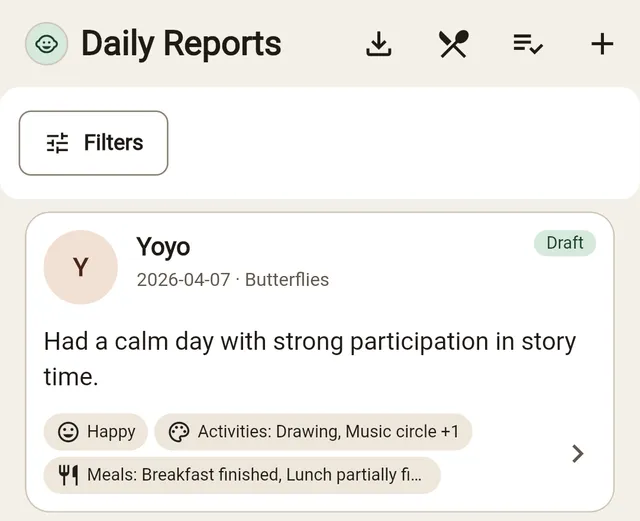
Teachers log care moments as they happen, and Little Steps assembles meals, naps, mood, activities, photos, and notes into a clear daily report.
What it covers
Record meals, naps, mood, activities, and notes in the moment for one child or the whole room.
Attach photos to the right child and share them privately with that child’s family.
Teachers can review each report before parents see it, keeping updates thoughtful and accurate.
Less evening paperwork
Instead of reconstructing the day at pickup, staff capture moments in real time and publish a polished update when it is ready.
How it works
Teachers add meals, naps, activities, mood, photos, and notes during the day.
The report gathers everything in one place so the teacher can check tone and accuracy.
Once published, families can see the day clearly in the parent app.
Daily reports become part of the child’s record for staff and nursery context.
Questions
Yes. Little Steps supports quick classroom workflows so teachers can record care events without repeating the same entry child by child.
No. Drafts stay internal until the teacher reviews and publishes the report.
Next step
Start with daily reports, or pilot the full owner, teacher, and parent workflow.